Fabric Textures

I’m always on the lookout for great textures to use when working with Photoshop Elements as I tend to use layers upon layers upon layers of different types of textures and images to create visual depth and complex texture when making my digital art.

There are so many wonderful free texture downloads on the web for using in Photoshop such as these fabulous fabric fold textures. PS – If you don’t know how to use textures, this link also has a quick tutorial on how to use textures.

And recently I stumbled across this link that lists more than 230 great fabric textures.

You can never have too many textures so download and go nuts!

… Continue reading

Fabric Fold Textures

What’s better than fabric? Well, maybe not better, but certainly in the ball-park …. Fabric Textures of course! And high resolution fabric textures at that.

The Thinkdesign Blog has kindly made available for free a fabulous high resolution “Fabric Fold” texture pack and you can download them here. Because these are high resolution images, this is a huge file so it might take a while to download. They also have various other high resolution fabric textures which you can find here.

How do you use a texture?
I like to blend photos, usually a main image and a texture.

Open up your images in photoshop elements.

How to use textures in photoshop elements

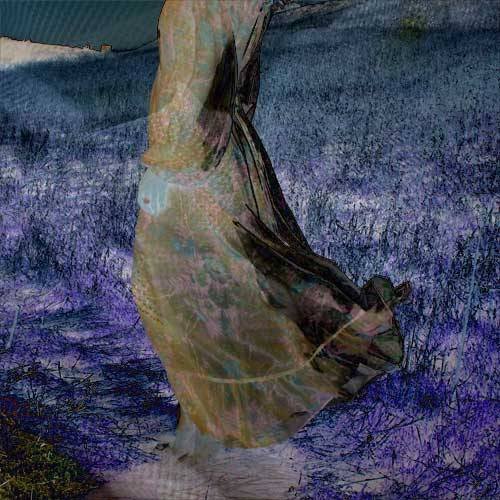
Drag one image on top of the other. I’ve dragged the texture image on top of the ladies dress, and then I applied a blending mode to the top texture image. I used the Difference blending mode.

How to use textures in photoshop elements

The result … it changed the color of the image and you can also see soft folds from the fabric texture.

How to use textures in photoshop elements

You can get different results by simply changing the blending mode. For this one I set the blending mode to Hue and the result is a lovely color change along the fabric folds.

How to use textures in photoshop elements

Have fun!

… Continue reading