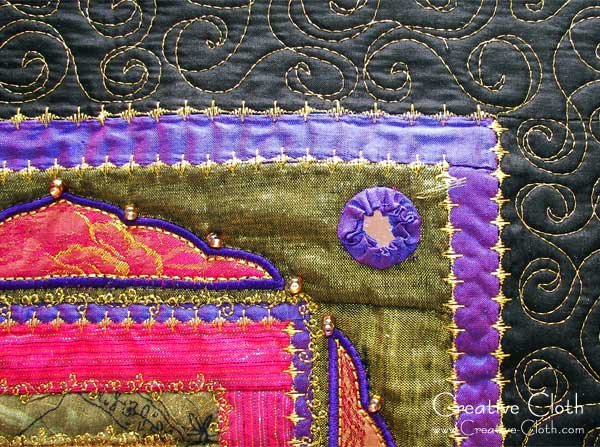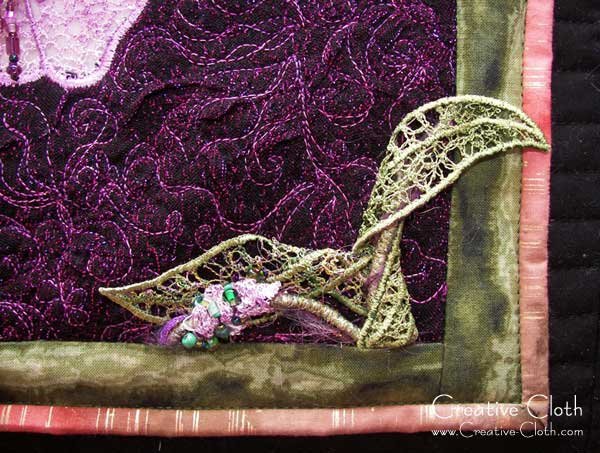
Fabric Painting, Dyeing and Stamping

For me, the best part about embellishing is using beautiful fabric with beautiful colors to work with and what better way to acquire beautifully colored fabric than to make it yourself by dyeing it, painting it or stamping it.

If you’re interested in fabric dyeing, there is no better resource than Paula Burch’s website, but be warned, you could possibly spend days wandering around in there as she has so much fabulous information and inspiration including many fabric dyeing tutorials.

You’ll also find some great information on the Fabric Dyeing 101 website with more free fabric dyeing tutorials including free recipes and even some business advice.

A really quick way to change the appearance of your fabric is to simply add some surface design such as simple fabric painting and/or fabric stamping.

Start out with some hand dyed or even some plain or tone-on-tone commercial fabric.

Fabric Painting Tutorial

You could stamp directly onto the fabric, but I often like to begin with some free motion quilting and then stamp and paint over it.

Free Motion Quilting

Then add some fabric paint by painting the design. For this design I used glitter fabric.

Fabric Painting

Fabric Painting Tutorial

Then using a stamp, I stamped over the painted design.

Fabric Stamping Tutorial

You can see how the design changes dramatically using only a simple stamp.

Fabric Stamping Tutorial

This will make a great background for an art quilt.

Fabric Stamping Tutorial

And if that’s not enough inspiration, you can find a couple of great fabric painting tutorials here on Sonji Hunt’s website and here on Alma Stoller’s blog.

I hope this inspires you to play a little today.

This post is part of the 30 Days of Titivations; a 30 day blogathon all about embellishing and embellishments.

You can find lots of free embellishment tutorials in the tutorials section of my blog which can be found here, and even more techniques can be found on my Titivations DVD. Please visit the Instructional DVD section of the store for full details.

… Continue reading

Bead Dangles – Tutorial

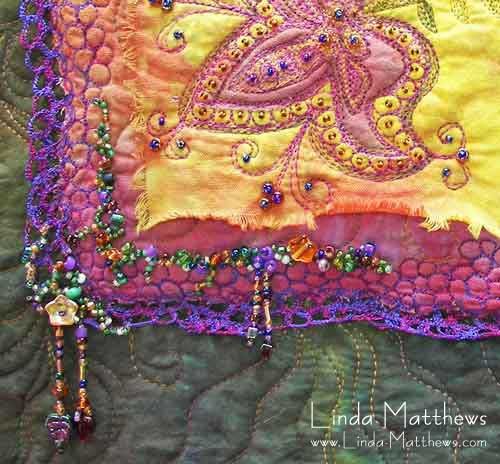
Beading is one of my favorite methods of embellishing my art quilts and other projects, and I like to use lots of bead dangles; I just love the way that the hanging beads add movement.

Bead Dangles

Bead Dangles

Bead Dangles

Bead dangles are easy to make and don’t take a lot of time. Just be sure to use strong beading thread.

Instructions
Thread a beading needle with a short length of beading thread approximately 18” long.
Run the needle through the batting for approximately 1”, bringing it up at the point where you want to add your dangle, and secure with a small knot into the fabric.

String your beads onto the thread for the required length. Add an extra large decorative bead, or even a charm, at the end of the string. This helps to weigh the dangle.

Bead Dangles

Add one last very small bead. This will be used as a stop bead. Bypassing the stop bead, bring the needle up and travel back along the bead string to the beginning.

Bead Dangles

Tie off in a double knot to ensure the dangle is secured firmly. Now add some more dangles because one is never enough, varying the length of each for added interest.

Bead Dangles

And that’s how easy it is!

This post is part of the 30 Days of Titivations; a 30 day blogathon all about embellishing and embellishments.

You can find lots of free embellishment tutorials in the tutorials section of my blog which can be found here, and even more techniques can be found on my Titivations DVD. Please visit the Instructional DVD section of the store for full details.

… Continue reading

Photoshop Elements: Using Camera Raw Editor

Today, a quick tutorial on how to use the Camera Raw editor to edit jpg files.

The Camera Raw editor is generally used to edit “.raw” format images. The .raw format is available in some high end cameras and saves the photo with minimal processing which allows greater editing capabilities. This format is generally used by professional photographers to edit their digital photos.

However, the Camera Raw editor can also be used to edit .jpg format files. The advantage of using this editor to edit .jpg files is that there are a lot more options available in the Camera Raw editor, and very often it’s easier to use than the standard editing screen in Photoshop Elements.

… Continue reading

Flip Flap Shoulder Purse – A very quick tutorial

I whipped up this cute little shoulder purse from some leftover scraps I had lying around.

I used the flip’n'sew technique to piece together some coordinating fabric scraps down the right side of the purse, and added some fabric flaps to the left side.

Flip'n'Sew Scrap Purse

The flip-n-sew technique is really easy and is a great way to use up small fabric scraps to create interesting designs, so here’s a super quick tutorial

Cut a piece of backing fabric to size and using a pen or a pencil, draw your design onto it. Depending on your project you can use muslin or stabilizer as a backing fabric. For this purse project I used a fusible stabilizer.

Flip'n'Sew Technique

Cut out some fabric scraps slightly larger than the flip’n'sew design sections and using the drawn design as a guide, place the first two pieces of fabric right sides facing on top of the first flip’n'sew section and sew a seam along the seam line through all layers – the two pieces of fabric and the backing fabric. It’s not critical to stitch exactly along the guidelines; so there’s lots of fudge factor.

Flip'n'Sew Technique

Then flip the top fabric over and press. Because I’m using fusible stabilizer, everything lies nice and flat.

Flip'n'Sew Technique

Place the next piece of fabric on top of the second section, right sides facing, and sew a seam.

Flip'n'Sew Technique

Flip the top fabric over and press.

Flip'n'Sew Technique

And so on .. you get the idea. Continue until your design is complete. Using the same technique, I added a plain piece of fabric for the opposite side of the purse and then I sewed some decorative stitches along the seams for embellishment.

Flip'n'Sew Scrap Purse

I had a couple of fabric flaps that were left over from another project and the colors were complementary, so I added them to the plain side of the purse. I left them hanging loose so they’re more like an embellishment. I also added one of my very favorite embellishments to the bottom of the top flap – a beaded yo-yo embellishment. You can find tutorials for making yo-yos here, and bead dangles here. Just combine the two to make a yo-yo with bead dangles.

Flip'n'Sew Scrap Purse

After I sewed everything together, the result is a happy little shoulder purse to brighten the coming wintry days. These little shoulder purses make fabulous gifts for both children and adults and they’re so quick to put together. With Christmas coming up, they could make the ideal gift for someone you know. So get creative and have fun!

Flip'n'Sew Scrap Purse

… Continue reading

Photoshop Elements 9: Out of Bounds

Photoshop Elements: Out of BoundsOver the last few weeks I’ve introduced you to some cool new features in the latest version of Photoshop Elements, version 9. If you haven’t yet tried Photoshop Elements 9, Adobe offers a free 30 day trial. You can download it here.

Today I’m going to show you a fun technique called Out of Bounds which creates the illusion of a 3d effect for your photos. Enjoy the video tutorial!

PS … I’ve redone my prior tutorials in this series and turned them into video tutorials. You can find them here and here.

… Continue reading